หลายโรงงานยังใช้ Software Version เดิมมานาน 5–10 ปี
เหตุผลที่ได้ยินบ่อยคือ:
- “ระบบยังใช้งานได้”
- “ไม่อยากหยุด Production”
- “กลัว Upgrade แล้วกระทบ”
- “ไม่มีเวลา Test”
- “Version เดิมเสถียรอยู่แล้ว”
แต่สิ่งที่หลายองค์กรเริ่มเจอคือ…
ระบบยัง “เปิดติด”
แต่เริ่ม “ไม่มีคนซัพพอร์ต”
และนี่คือจุดเริ่มต้นของความเสี่ยงใหญ่ในโรงงานยุค Digital และ Industrial AI
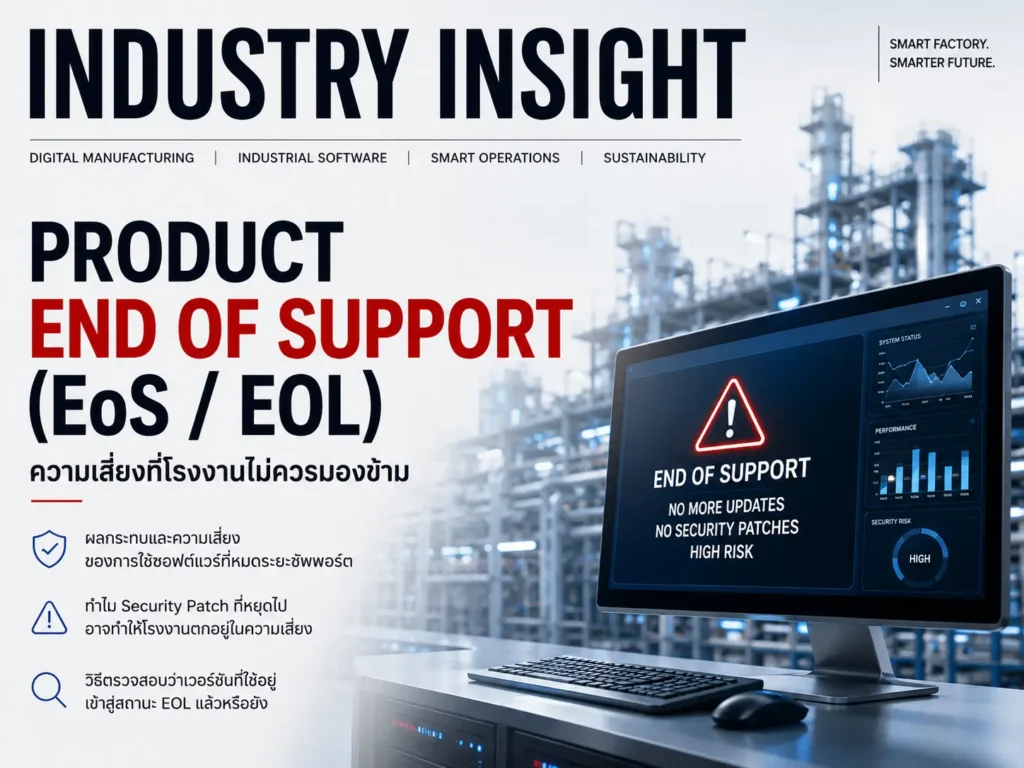
End of Support (EoS / EOL) คืออะไร?
EOL (End of Life) หรือ End of Support คือสถานะที่ Vendor:
- หยุดพัฒนา
- หยุด Patch
- หยุด Security Update
- หยุด Feature Enhancement
- และบางครั้งหยุด Technical Support
สำหรับ Product หรือ Version นั้นๆ
พูดง่ายๆ คือ:
Software ยัง “เปิดใช้งานได้”
แต่ Vendor เริ่ม “ไม่รับประกันอนาคต”
ความเสี่ยงของการใช้ Software ที่ EOL แล้ว
หลายองค์กรคิดว่า:
“ถ้ามันยัง Run ได้ ก็ใช้ต่อได้”
แต่ในโลก OT/Industrial Software
ความเสี่ยงจริงไม่ได้อยู่แค่เรื่องเปิดติดหรือไม่ติด
1. Security Risk
ความเสี่ยงด้าน Cybersecurity
นี่คือความเสี่ยงใหญ่ที่สุด
เมื่อ Software EOL:
- ไม่มี Security Patch ใหม่
- Vulnerability ใหม่จะไม่ถูกแก้
- OS ใหม่อาจไม่ปลอดภัยกับ Version เดิม
ในยุค:
- Ransomware
- OT Cyber Attack
- IEC62443
- EU CRA (Cyber Resilience Act)
เรื่องนี้เริ่มกลายเป็น Business Risk แล้ว
2. OS Compatibility Problem
ระบบใหม่เริ่มไม่รองรับ
เช่น:
- Windows Version ใหม่ไม่ Support
- SQL Server ใหม่ใช้ไม่ได้
- Driver / OPC เก่าเริ่มมีปัญหา
สุดท้ายองค์กรจะติดอยู่กับ:
- Windows เก่า
- Server เก่า
- VM เก่า
และเริ่มเข้าสู่:
“Technical Debt”
3. Vendor Support หายไป
เมื่อ EOL:
- เปิด Case ยากขึ้น
- Hotfix ไม่มี
- Escalation ไม่ได้
- R&D ไม่ Fix Bug แล้ว
บางกรณีเหลือแค่:
- Best effort support
- Consultation only
- หรือหยุด Support ทั้งหมด
4. Upgrade ยิ่งช้ายิ่งยาก
หลายโรงงานเลื่อน Upgrade ไปเรื่อยๆ
สุดท้าย:
- Version gap ใหญ่เกิน
- Migration ซับซ้อน
- Compatibility เพียบ
- Downtime Risk สูง
จาก Upgrade เล็ก
กลายเป็น “Digital Transformation Project” ทั้งโรงงาน
5. Audit & Compliance Risk
บางอุตสาหกรรม เช่น:
- Pharma
- Food
- Chemical
- Critical Infrastructure
เริ่มมี Requirement เรื่อง:
- Cybersecurity
- Patch Management
- Supported Software
- Software Lifecycle
ถ้าใช้ Version EOL:
- Audit อาจไม่ผ่าน
- Insurance Risk สูงขึ้น
- Compliance Risk เพิ่ม
AVEVA มี Lifecycle Policy อย่างไร?
AVEVA ใช้แนวทาง:
- Standard-Term Servicing (STS)
- Long-Term Servicing (LTS)
โดยทั่วไป:
- STS → Full Support ~3 ปี + Limited/Security Support ~2 ปี
- LTS → Full Support ~5 ปี + Stability/Security Support ~2 ปี
หลังจากนั้นจะเข้าสู่:
- Tech Support Only
- หรือ End of Life
Version ไหนของ AVEVA ที่ EOL แล้ว?
ตัวอย่างจาก AVEVA System Platform Lifecycle:
| Product Version | Status |
|---|---|
| System Platform 2017 | End of Life |
| System Platform 2017 U1 | End of Life |
| System Platform 2017 U2 | End of Life |
| System Platform 2017 U3 | End of Life |
| System Platform 2020 | End of Life |
| System Platform 2020 R2 | End of Life |
| System Platform 2020 R2 SP1 | End of Life |
| หลาย Product รุ่น 2014–2018 | ส่วนใหญ่ EOL แล้ว |
รวมถึง Product กลุ่ม:
- Historian
- MES
- Recipe Management
- Batch Management
- Predictive Analytics
- Plant SCADA
- Enterprise Data Management
หลาย Version เก่าเริ่มเข้าสู่:
- Limited Support
- Tech Support Only
- หรือ EOL แล้วเช่นกัน
แล้วจะตรวจได้อย่างไรว่า Version ไหน EOL แล้ว?
วิธีที่ 1: ตรวจผ่าน AVEVA Software Support Website
ใน Product Hub จะมี:
- Product Lifecycle
- Release Information
- Support Phase
- End of Support Date
วิธีที่ 2: ตรวจจาก Lifecycle Matrix
หลาย Distributor และ AVEVA Select Partner จะมี:
- Lifecycle Matrix
- Support Table
- Compatibility Matrix
เช่น:
- Release Date
- Mainstream Support
- Extended Support
- End of Life Date
วิธีที่ 3: ตรวจ Version จาก Software จริง
เช่น:
- System Platform IDE
- About Menu
- Historian Version
- License Manager
- Installed Programs
แล้วนำ Version ไปเทียบ Lifecycle Table
วิธีที่ 4: ตรวจ OS และ Dependency ด้วย
บางครั้ง Product ยังไม่ EOL
แต่ OS EOL แล้ว
เช่น:
- Windows Server เก่า
- SQL Server เก่า
- .NET Framework เก่า
ซึ่งก็เสี่ยงเหมือนกัน
Reality Check
หลายโรงงาน “กลัว Upgrade”
แต่ความจริงคือ:
การไม่ Upgrade
ก็เป็นความเสี่ยงเหมือนกัน
โดยเฉพาะในยุค:
- Connected Factory
- Remote Access
- Cloud Integration
- Industrial AI
- Cybersecurity Regulation
แนวคิดที่องค์กรยุคใหม่เริ่มเปลี่ยน
ในอดีต:
“อย่าแตะระบบ ถ้ามันยังรันอยู่”
แต่ปัจจุบัน:
“ระบบที่ไม่ถูก Maintain อาจกลายเป็นจุดอ่อนของทั้งโรงงาน”
สิ่งที่องค์กรควรเริ่มทำ
1. ทำ Software Inventory
รู้ก่อนว่า:
- โรงงานมี Software อะไร
- Version ไหน
- OS อะไร
- Support Status เป็นอย่างไร
2. วาง Lifecycle Management
ไม่รอให้ EOL ก่อนค่อยแก้
แต่มี:
- Upgrade Plan
- Migration Strategy
- Patch Policy
3. แยก “Stable” กับ “Obsolete” ออกจากกัน
ระบบ Stable:
- ยัง Patch ได้
- ยัง Support ได้
- ยัง Secure ได้
ไม่เหมือนระบบ Obsolete
สรุป
EOL ไม่ได้แปลว่า:
“ระบบเปิดไม่ติด”
แต่มันแปลว่า:
- ความเสี่ยงเริ่มเพิ่ม
- Security เริ่มอ่อน
- Support เริ่มหาย
- Technical Debt เริ่มสะสม
ในยุค Smart Manufacturing
Software Lifecycle
กำลังกลายเป็นเรื่อง “Business Continuity”
ไม่ใช่แค่เรื่อง IT อีกต่อไป