
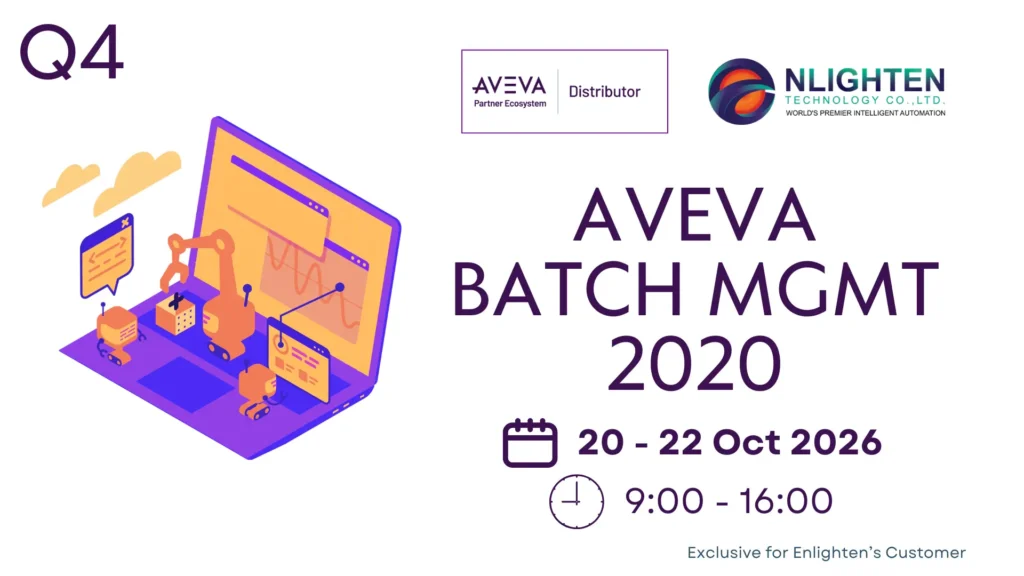
Description
The AVEVA™ Batch Management 2020 course is a 3-day, instructor-led class designed to provide a fundamental understanding of the features and functionality of the batch management software. The course provides lectures and hands-on labs to supply and reinforce the knowledge necessary to apply batch management to a batch processing application. This includes creating the plant model, creating recipes, simulating the running of the recipes, and connecting AVEVA Batch Management to a plant control system. Hands-on labs are provided to reinforce the knowledge necessary to use the software.
Objectives
Upon completion of this course, you will be able to:
- Describe software components
- Define and configure a process model
- Define and configure trains
- Define and track material consumption and production
- Create recipes and simulate their running against a process model
- Schedule and run batches
- Historize and report data
- Describe equipment allocation
- Describe equipment instances
- Define recipe transitions and loopbacks
- Connect to field I/O
- Integrate with AVEVA InTouch HMI (tag based)
- Integrate with AVEVA System Platform (object based)
- Describe graphic user interface controls (GUI) in the Integrated Development Environment (IDE)
- Configure OS Security
- Configure the web client
- Integrate with AVEVA Operations Management Interface
Outline
Module 1 – Introduction
- Section 1 – Course Introduction
- This section describes the course and its objectives, intended audience, prerequisites, and agenda.
- Section 2 – Batch Management Overview
- This section describes the software and explains the fundamentals of batch systems, processes, and process modeling. It mentions support of the TLS 1.2 security protocol. It also describes the software configuration and runtime editors, as well as the directory structure, application maintenance, and configuration utility.
- Section 3 – Installation Tips, Software Components, and System Requirements
- This section describes the system requirements for the software and discusses the software components.
- Section 4 – Architecture and Licensing
- This section introduces the typical system configurations, with and without System Platform, and the database structure, including development and runtime tables. It also provides a brief review of license requirements.
Module 2 – The Environment Display
- Section 1 – Environment Manager Overview
- This section describes the three components of the Environment Display: Editor, Manager, and Database.
- Section 2 – Environment Manager Operation
- This section explains how to add, modify, and remove applications from the Environment Editor. It also describes how to manage runtime applications, modify system and application parameters, and update system databases.
Module 3 – Process Modeling
- Section 1 – Process Modeling
- This section discusses process modeling. It explains units, connections, the connectionless model, and segments. It describes the high-level models and exclusions, using a process diagram to explain the hot sauce process used in the labs.
- Section 2 – Process Model Editor
- This section discusses the features and functionality of the Process Model Editor.
- Section 3 – Equipment Status
- This section defines equipment status and explains its uses and how to add it.
- Section 4 – Classes
- This section describes how to group units into process classes, add unit attributes, and group connections into transfer classes.
- Section 5 – Phases
- This section describes the types of phases and explains when to add process and transfer phases.
- Section 6 – Enumeration
- This section explains how to create an enumeration alphanumeric display associated with a process variable in the back system.
- Section 7 – Units of Measure
- This section explains how to define units of measure that can later be assigned to process variable formula parameters.
- Section 8 – Tags and Parameters for Phases
- This section discusses control and status tags for automatic and semi-automatic phases, automatic and manual creation of process tags, and the name and type parameters. It also discusses parameter tags; unit, connection, and segment tags; unit control and state tags; and system and system class tags.
- Section 9 – Interlock and Control Buttons
- This section explains how to create interlocks to prevent the start of a particular phase based on a set of conditions. It also describes how to create control buttons that will be operated from the batch control system screen.
- Section 10 – Model Validation and Database Synchronization
- This section describes how to validate a process model and synchronize the runtime database and the configuration database.
Module 4 – Trains
- Section 1 – Use and Definition of Trains
- This section explains the usefulness and functionality of trains, defines trains and how to use the proper equipment for the specified criteria, and discusses how to add trains using Train Editor.
Module 5 – Materials
- Section 1 – Materials and Characteristics
- This section discusses the types of material used in the Materials Editor interface to add raw materials inputs and outputs. It also identifies the characteristics to distinguish materials from each another.
- Section 2 – Assign and Receive Materials
- This section explains how to assign materials to units, use the Material Location Assignment Editor, and receive materials manually.
Module 6 – Recipes
- Section 1 – Recipes and the Recipe Editor
- This section defines the parts of a recipe, including unit procedures, operations, and phases. It describes the recipe components, including equipment requirements, formula inputs, and formula outputs. It also discusses the master recipe as a template and describes branch options and phase options, including parameters, instructions, and documents.
- Section 2 – Recipe Validation and Approval
- This section describes the concept of validating and approving a recipe and approving a recipe for production.
Module 7 – Batch Management
- Section 1 – Batch Scheduling
- This section explains batch management. It describes how to start the service; schedule batches in auto, semi-auto, and manual modes; initialize batches; and run batches in order.
- Section 2 – Batch Display Operation
- This section describes the Schedule dialog box, batch control, and the batch messages window. It explains how to work with phase parameters, switch batch execution modes, and use Jump mode. It also explains how to change recipe formulation at runtime (phase parameter editor) and use the save control recipe function.
Module 8 – Advanced Topics on Recipes and Batches
- Section 1 – Manual Phases
- This section describes how to design manual phases in Recipe Editor and work with manual phases in Batch Display.
- Section 2 – Equipment Availability and Allocations
- This section discusses equipment availability, as well as allocation and release, including Automatic, Recipe, and Manual.
- Section 3 – Equipment Instances in Recipes
- This section describes the functionality and use of process and transfer instances in a recipe.
- Section 4 – Recipe Transitions and Loopbacks
- This section explains how to use transitions, the Execute One branch, and loopbacks.
- Section 5 – Batch Synchronization at Restart
- This section explains how to configure the system for restart in case of downtime. It discusses equipment allocation, restarting batches, and control system synchronization.
Module 9 – History and Reporting
- Section 1 – History
- This section discusses the History Server, history settings, and how information is stored and archived.
- Section 2 – Process Logger System
- This section describes how to edit a process logger configuration. It discusses the Log Manager, the process logger configuration file, how to define process logger groups and add Log Manager to the environment, as well as how to assign the log configuration from the Log Manager.
- Section 3 – Reporting System
- This section describes how to explore the reporting system components. It describes the different report types: Summary of all reports and Batch Journal EOB. It discusses the Batch Management Reports website, explaining how to run an on-demand report and view a scheduled report. It also discusses the Batch Management Reports Administration website, explaining how to configure and schedule reports. It also explains how to add a report to a phase.
Module 10 – Batch Management Data Connections
- Section 1 – Overview
- This section explains the connection to the control system using an IBCli application and describes the function of IBCli and Tag Linker.
- Section 2 – Batch Management Connection to Control Systems Using IBCLI
- This section describes how to configure access names and IBCli for Device Integration servers. It explains how to configure tag options, including filtering, access names, item names, scaling, export, and data type. It also explains how to import and export tags.
Module 11 – Security System
- Section 1 – Batch Management Security System Overview
- This section discusses the available security types and the differences between them. It explains how to create meaningful roles (operator, supervisor, and so on), add members to roles, create and assign operator station access to users and groups, and grant recipe access to users and groups. It describes how to secure applications and functions, using roles with Done by and Check by options.
- Section 2 – Batch Management Security Using Operating System
- This section defines OS security. It explains the basic workflow with security roles, the operator station, user and group accounts, and applications functions.
Module 12 – Batch Management Integration with InTouch
- Section 1 – Batch Management Data in InTouch
- This section explains client types for tag configuration export. It describes the remote referencing method to browse and use Batch Management tags in an InTouch application.
Module 13 – Batch Management GUI Controls
- Section 1 – Introduction
- This section explores the GUI and .NET controls, and the web client.
- Section 2 – Batch Management Web Client
- This section provides an overview of the web client. It discusses the Security Enabled prerequisite and explains how to use the web client feature.
- Section 3 – Batch Management .NET GUI Controls Used in InTouch
- This section discusses the GUI controls used in InTouch and describes how to configure them.
- Section 4 – Batch Management .NET GUI Controls Used in Operations Management Interface
- This section explains how to convert .NET GUI controls to the Operations Management Interface application. It explains the steps to use the Operations Management Interface application to create the user interface for Batch Management. It also describes how to use unit-centric batch management in the Operations Management Interface.
Module 14 – Batch Management Integration with System Platform
- Section 1 – Connecting Batch Management to a Galaxy
- This section explains how to import the Batch Management model into the IDE and connect Batch Management to the Galaxy using the IBMX application. It discusses the IDE/IEE Extension for the IDE, the templates and application objects, and how to use the Import Batch Management Model Utility to generate the model in the IDE.
Prerequisites
Knowledge of the following tools, features, and technologies is required:
- Manufacturing industry concepts
- Batch process concept
- Personal computers and the Windows operating system
- Basic PLC
- Basic AVEVA InTouch HMI, AVEVA Operations Management Interface, and AVEVA Application Server to be able to integrate with those applications
Audience
Individuals who need to configure or modify batch management applications.
*Remarks:
สถานที่: Enlighten Technology – https://maps.app.goo.gl/z9YizQ9gfqhbpfz1A
*เงื่อนไขการยืนยันการ Training: การจัด training จะได้รับการยืนยันภายใน 14 วันก่อนวันเริ่ม Training โดยขึ้นอยู่กับจำนวนผู้ลงทะเบียนขั้นต่ำที่กำหนด หาก training ถูกยกเลิก ทางทีมจะแจ้งให้ทราบทางอีเมลที่ลงทะเบียนไว้
*การแจ้งเตือนและยืนยันรอบสุดท้าย: ผู้ลงทะเบียนจะได้รับอีเมล Reminder และ Final Confirmation 3 วันก่อนวันเริ่ม Training กรุณาตรวจสอบอีเมลและยืนยันการเข้าร่วมภายในเวลาที่กำหนด
Registration Link: AVEVA™ Batch Management 2020 (Mix), 20-22 Oct 2026
A post on Microsoft Forms provided by: forms.office.com